
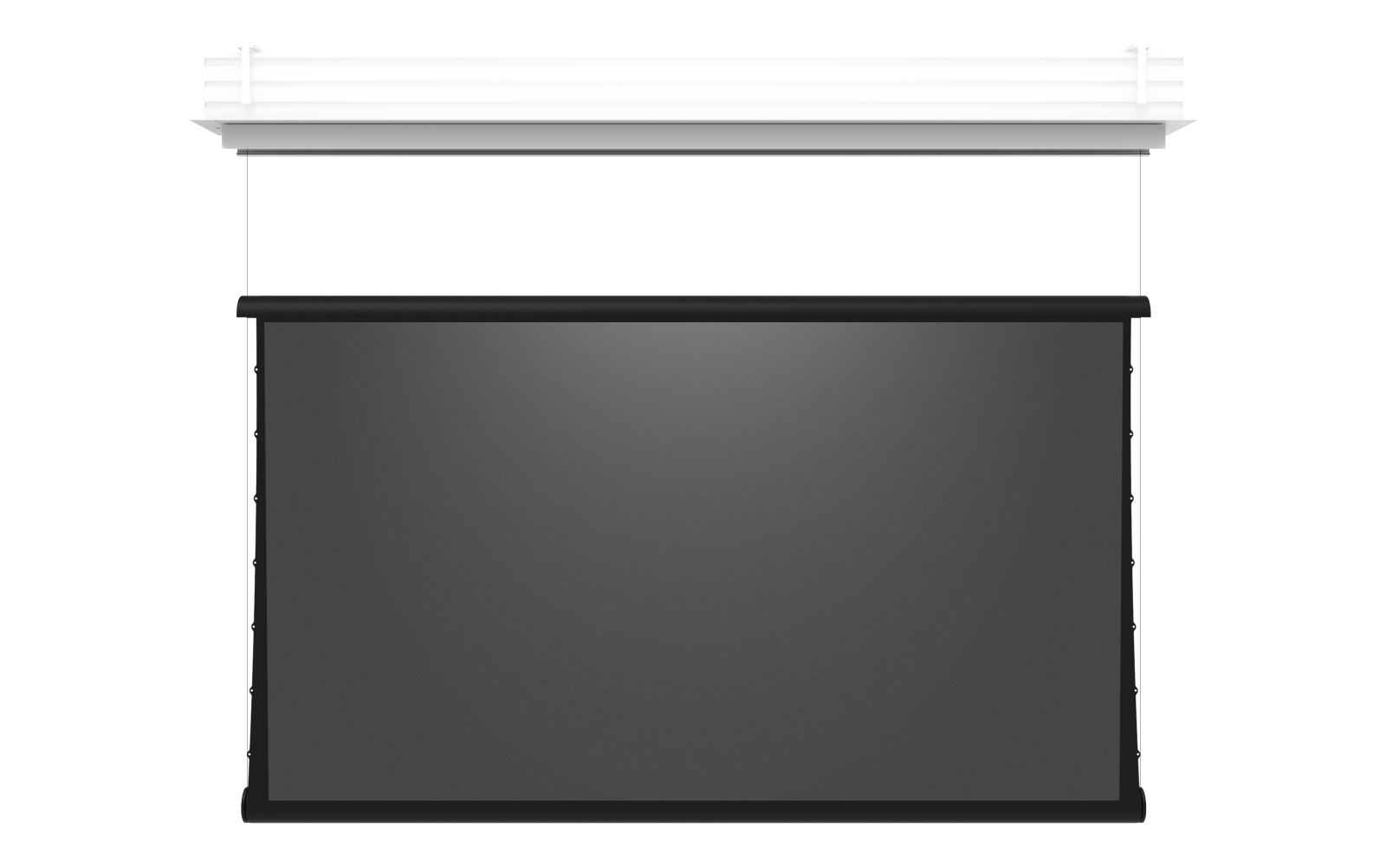
Zero G Troubleshooting Wizard
Interactive guide to diagnose and resolve common issues
What issue are you experiencing with your Zero G?
Select the issue that best describes your situation.
Zero G is a precision product. The cassette MUST be level — all measurements and adjustments are based on this. A minimum of 12" of drop must be maintained before the screen deploys to prevent mechanical failures.
Adjusting Drop Height
Drop Height is how far the Lower Tube Assembly (LTA) descends before the screen material begins to unroll and deploy. This is different from motor limits.
Upper Limit: Where the screen stops when fully retracted into the cassette
Lower Limit: Where the bottom of the screen sits when fully deployed
Drop Height: How far the LTA travels down before screen material starts unrolling
Drop height is adjusted using the wing spool knob inside the enclosure. Perform on both ends of the screen:
1. Loosen the thumb turn bolt on the wing drop adjustment pulley
2. Turn the knob to adjust the cable length — this changes the drop distance
3. The moving pulley should be firmly pressed against the limit plate
4. Make sure the wing cable is correctly routed around both pulleys above the spool
5. Verify both wing cables have proper tension
6. Firmly tighten the thumb screw to secure the drop setting
7. Repeat on the opposite end of the screen
• Minimum 12" drop must be maintained before screen deploys
• Thumb screw must be firmly tightened to prevent the drop setting from changing
• If cable becomes loose, verify wing cable is correctly set on all pulleys
• Adjust both ends evenly to keep the LTA level
Short Drop: LTA drops less than 6 feet before material unrolls
Long Drop: LTA drops 6 feet (72") or more before material unrolls
New screens (485 motor) are Short Drop only. Older screens (DCT motor) may be Short or Long Drop.
Which motor type does your Zero G have?
Motor type is determined by when your screen shipped and which controller you have.
Check your order date or look at the controller that came with your screen. 485 motors come with a MOAB, DCT motors come with a wall switch keypad.
Which motor type does your Zero G have?
Motor type is determined by when your screen shipped and which controller you have.
Check your order date or look at the controller that came with your screen. 485 motors come with a MOAB, DCT motors come with a wall switch keypad.
Screen won't move at all
Verify the following basic checks:
- Power: Confirm the screen has power at the outlet/circuit
- Control wiring: Check all RJ45 connections inside the enclosure are secure
- Control system: Test with direct MOAB or wall switch instead of automation
- Motor thermal protection: If motor was running extensively, let it cool 15-30 minutes
The motor is thermally protected. If the motor stops running during operation, let it cool down for at least 30 minutes before attempting to run it again.
Door issues — not closing or gaps
There is a Hall Effect Sensor located on the left side pulley bracket inside the enclosure. When the screen is all the way up, you should see a green LED on this sensor — this triggers the doors to close.
1. Look inside the enclosure on the left side pulley bracket
2. When the screen is fully retracted, check for a green LED
3. If you do NOT see the green LED, the upper limit needs to be adjusted
Looking inside the enclosure in the top middle, you will see the door motor with two metal cables.
To increase tension (doors not closing tight): Push the cable IN toward the motor
To decrease tension (doors binding/not moving): Pull the cable OUT away from the motor
Adjust both cables evenly for balanced door operation. Small adjustments can make a big difference.
Wrinkles or waves in the screen material
Wrinkles and waves in the material are primarily caused by the screen not being level or not being square. The measurement process must be followed precisely.
Review the proper measurement and leveling procedure in this video:
1. Cassette must be perfectly level
2. Cassette to Wing — measure both sides, must be within 1/8" tolerance
3. Wing to Roll — measure both sides, must be within 1/8" tolerance
If wrinkles or waves appeared after adjustments or the material was stretched, give it some time to rest and heal. The material can take time to settle back into shape.
Roll not capturing into the Wing
Before making any adjustments, verify the cassette is perfectly level and the screen is square. All measurements and adjustments are based on the cassette being level.
If the material is not rolling up tight around the tube properly to the wing, you will need to add wraps to the lower tube.
1. Use the back dyneema (the cable at the rear)
2. Wrap in the direction so the dyneema hangs off the back of the roll, not the front
3. Important: When you add a wrap to one side, you MUST add a wrap to the opposite side
4. Keep wraps balanced on both sides
If the roll is still not capturing properly after adding wraps, add more wraps. Continue adding wraps (balanced on both sides) until the roll captures properly into the wing.
Lower tube not level (one side higher)
Before troubleshooting, verify the cassette is perfectly level and all measurements are correct. Failure to accurately level can cause cables to become unstable and fray over time.
Review the proper measurement and leveling procedure:
1. Cassette must be perfectly level
2. Cassette to Wing — measure both sides, must be within 1/8" tolerance
3. Wing to Roll — measure both sides, must be within 1/8" tolerance
Check the helix (the threaded part of the black tube inside the enclosure). If you see the dyneema cables skipping or crossed over itself, this would cause the tube to be unleveled.
1. Capture the tube to the wing using velcro straps or zip ties (NOT on viewing area)
2. Using the motor, send the screen down until the dyneema is fully off the helix
3. Make sure the dyneema is not getting caught or tangled as it unwinds
4. Have one person on each side apply pressure while the screen rolls back up
5. Ensure the dyneema does NOT skip or cross over any grooves on the helix
6. After fully up, verify both sides look exactly the same
The motor is thermally protected. If the motor stops during this process, let it cool for 30 minutes before continuing.
Adjusting limits with MOAB
The upper limit should be set from the factory, but may need adjustment. You only need to connect the MOAB directly to the motor to set the upper limit.
1. Remove the board from the enclosure (pull down the tray)
2. Unplug the grey RJ45 cable from the board
3. Connect it to the MOTOR ONLY side of the MOAB
4. Ensure all DIP switches are in the ON (up) position
If pairing is required, press and hold the Green Button until the Green LED flashes and the 485 Pairing LED turns OFF.
1. Use RED/UP and BLUE/DOWN buttons to position the screen
2. Position so the Hall Effect sensor on the left side pulley bracket shows green LED
3. Press and hold RED + GREEN until LEDs flash — upper limit saved
1. Use RED/UP and BLUE/DOWN to position screen at lower limit
2. Do not extend past 3" of black showing at bottom
3. Press and hold BLUE + GREEN until LEDs flash — lower limit saved
Move DIP Switch #1 to the OFF position.
1. Reconnect the motor RJ45 to the board
2. Close the control panel — do not force, check for wire obstructions
3. Tighten panel fastening screws
Minimum of 12" drop must be maintained before the screen material deploys.
Adjusting limits with Wall Switch
The wall switch has a toggle switch on the back that puts it into programming mode.
1. Put the switch on the back of the Wall Switch into the UP position
2. Use the UP and DOWN buttons to position the screen at the desired limit
3. Move the switch on the back of the Wall Switch back to the CENTER position
Position the screen so that the Hall Effect sensor on the left side pulley bracket shows a green LED. This ensures the doors will trigger properly.
Do not extend past 3" of black showing at the bottom of the screen.
Minimum of 12" drop must be maintained before the screen material deploys.
Re-string / Replace Material (MOAB)
Re-stringing requires careful handling and at least two people. Review the full guide before starting.
This procedure involves removing the lower tube assembly, replacing/re-seating the material and dyneema cables, and setting new limits.
• DO NOT exceed maximum drop of 60 inches
• Minimum of 12" drop before screen deploys
• Motor is thermally protected — let cool 30 minutes if it stops
• Use velcro/zip ties to secure tube to wing — NOT on viewing area
• Have one person on each side when re-seating dyneema
• Verify cassette is level before and after
Re-string / Replace Material (Wall Switch)
Re-stringing requires careful handling and at least two people. Review the full guide before starting.
This procedure involves removing the lower tube assembly, replacing/re-seating the material and dyneema cables, and setting new limits.
• DO NOT exceed maximum drop of 60 inches
• Minimum of 12" drop before screen deploys
• Motor is thermally protected — let cool 30 minutes if it stops
• Use velcro/zip ties to secure tube to wing — NOT on viewing area
• Have one person on each side when re-seating dyneema
• Verify cassette is level before and after
Great — glad we got it working!
Here are some helpful resources for future reference:
Let's get you some help
Based on the information gathered, we recommend submitting a support request.
Review these guides to see if they help resolve your issue:
Diagnostic Summary
Information that helps us assist you faster:
- Sales Order number (SHXXXXXX) or Project ID
- Description of the issue and when it started
- Photos or videos of the issue
- Motor type (485/MOAB or DCT/Wall Switch)
- Drop type (Short Drop or Long Drop — for DCT motors)
- Confirmation that cassette is level
- Any recent changes or service performed


Comments
0 comments
Please sign in to leave a comment.